
Add Preheader Text
Introduction
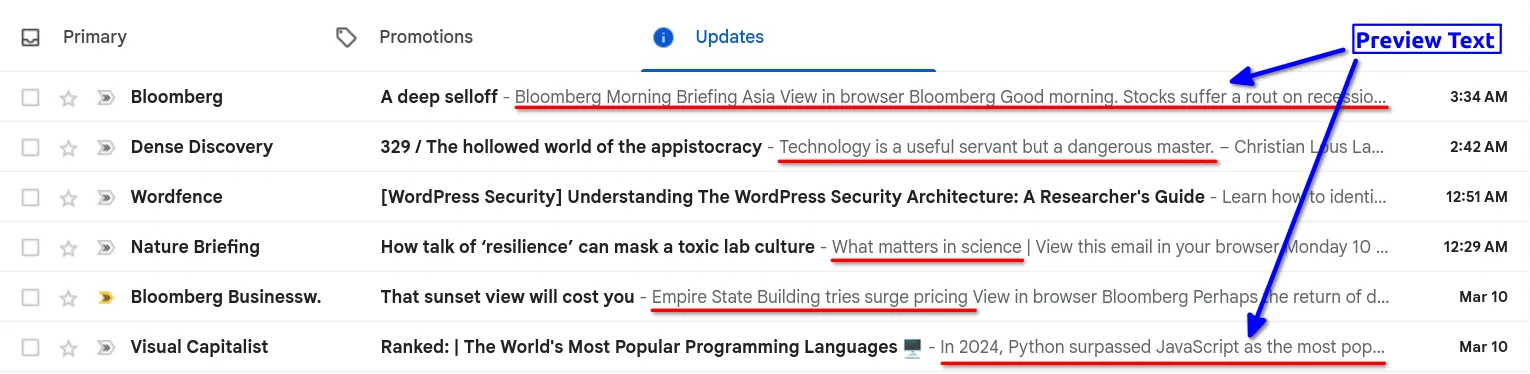
Section titled “Introduction”Preheader text is the short preview text that appears next to or below the subject line in email inboxes. It provides recipients with a quick summary of the email content, influencing open rates and engagement. In BetterMerge, you can add preheader text while composing your email template.
Why Preheader Text Matters
Section titled “Why Preheader Text Matters”- Improves Open Rates: A compelling preheader can entice recipients to open your email.
- Provides Context: It acts as an extension of the subject line, summarizing the email.
- Prevents Unwanted Previews: Without it, email clients may display random text from the email body, which may not be ideal.
How to Add Preheader Text in BetterMerge
Section titled “How to Add Preheader Text in BetterMerge”Follow these steps to add preheader text to your email templates in BetterMerge.
Step 1: Create or Edit an Email Template
Section titled “Step 1: Create or Edit an Email Template”Log in to your BetterMerge dashboard and create or edit an email template.
Step 2: Enable the Optional Fields
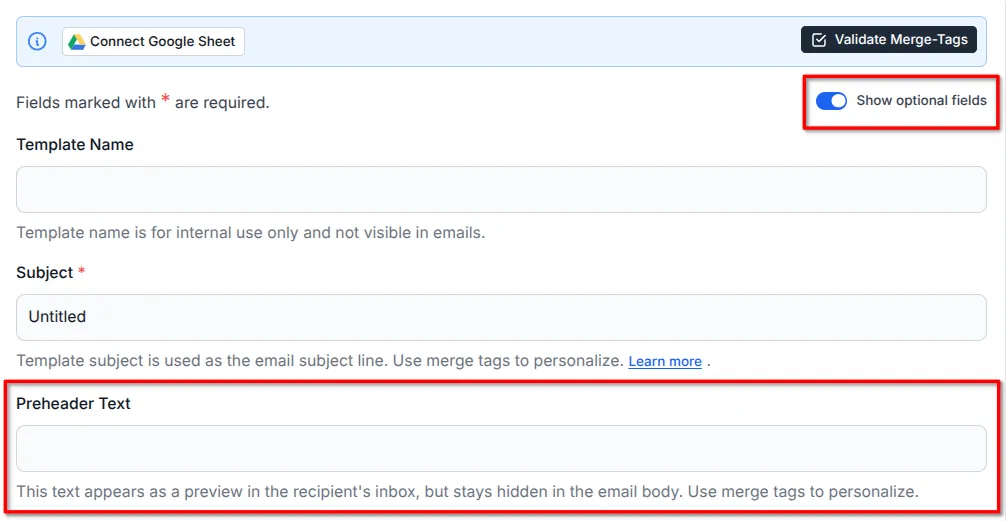
Section titled “Step 2: Enable the Optional Fields”Click the Show Optional Fields toggle switch to show the additional input fields.
Step 3: Fill in the Preheader Text Field
Section titled “Step 3: Fill in the Preheader Text Field”Enter the preheader text for your email. You can use Merge Tags to personalize the preheader text.
Step 4: Save the Template
Section titled “Step 4: Save the Template”Finally, click on the Save Template button to save the template.
Best Practices for Preheader Text
Section titled “Best Practices for Preheader Text”- Keep it Short: Most email clients display only 35-90 characters.
- Complement the Subject Line: Avoid repeating the subject; instead, add context.
- Create Urgency or Curiosity: Encourage the recipient to open the email.
- Avoid Empty or Irrelevant Text: Some clients auto-pull content if the field is blank.
Conclusion
Section titled “Conclusion”Preheader text enhances email visibility and engagement by providing a concise preview of your message. In BetterMerge, enabling and customizing preheader text is quick and easy. Use it effectively to maximize email open rates and ensure a professional appearance in inboxes.
BetterMerge is an independent product not affiliated with, endorsed by, or connected to Google LLC. Gmail, Google Sheets, Google Workspace, and Google Workspace Marketplace are trademarks of Google LLC.