4.9/ 5
Across 143 reviews from 19,000+ installs on the Google Workspace Marketplace.
Write one email and send it as hundreds of personal ones. BetterMerge fills in names, links, and attachments from your Google Sheet, sends from your own Gmail on your schedule, and writes every open and click back to your sheet.
Free plan: 50 emails a day, no credit card. Works with Gmail and Google Workspace.
Your contact list stays where it is. Every column becomes a merge tag, and hidden or filtered rows can be skipped.
Use merge tags for names, links, images, and attachments. Preview exactly what each recipient will get.
Emails go out from your own Gmail. Opens, clicks, and unsubscribes are written back to your sheet.
New to mail merge? Follow the beginner tutorial.
Built for people who send real emails to real people, not newsletters to faceless lists.
Every column in your sheet can shape the email. Change the subject, the body, a link, an image, or the file each person receives.
Emails go out one by one from your own Gmail account, so they land as normal conversations. You decide when and how fast.
See opens, clicks, and unsubscribes per recipient, in your Google Sheet and in the campaign report. Then follow up with the people who showed interest.
BetterMerge only asks for permission to send email. It cannot read, search, or delete anything in your mailbox, and it helps keep bounces and complaints low.
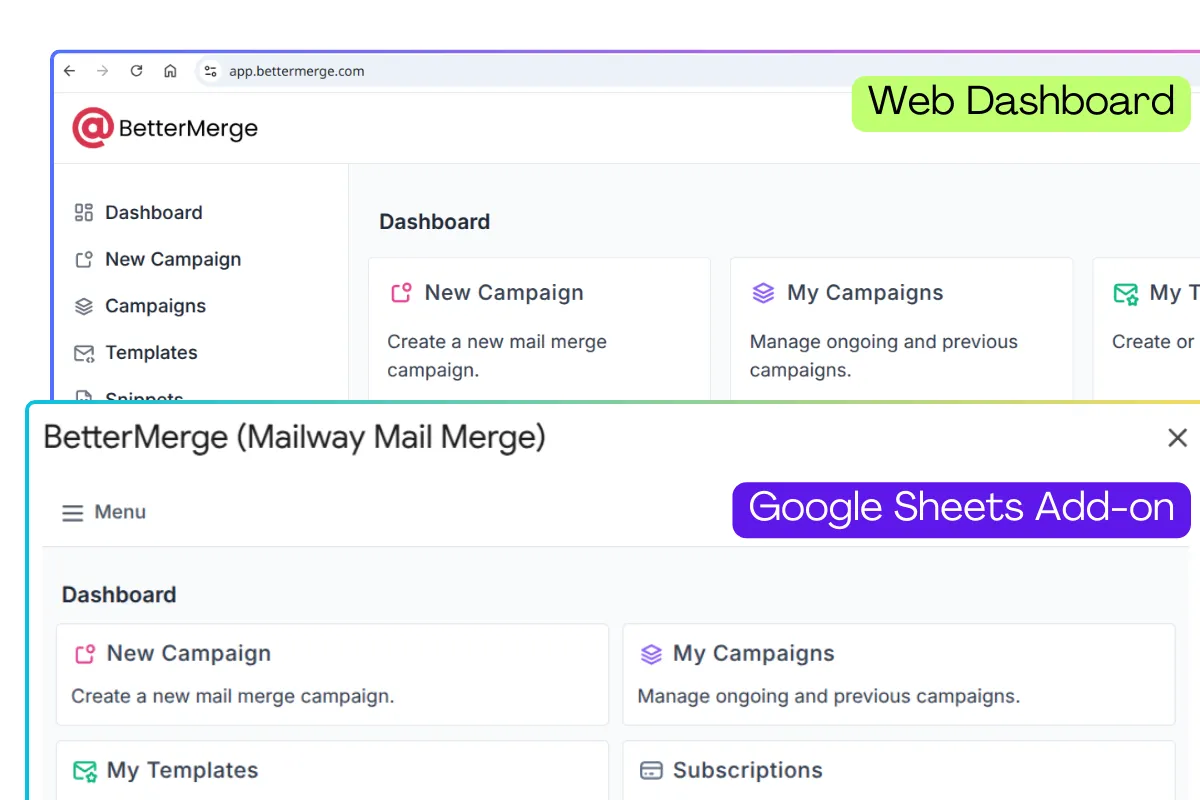
Launch a quick campaign from the add-on without leaving your sheet. Switch to the web dashboard at app.bettermerge.com when you want more room for templates, contacts, and reports. Both use the same account, so everything stays in sync.
Anyone who needs to send the same message to many people, one person at a time.
Send one-to-one prospecting emails from your own inbox, then follow up only with the people who opened or clicked.
Reach candidates or employees individually, with offer letters or documents attached per person on the Plus plan.
Send invoices, statements, and reminders with the right PDF attached to each email, straight from your sheet, on the Plus plan.
Send announcements, registrations, and certificates that feel personal, on a schedule you set.
Rated 4.9 out of 5 across 143 Marketplace reviews.
4.9/ 5
Across 143 reviews from 19,000+ installs on the Google Workspace Marketplace.
"I recommend this app for your mail merge! This tool is very simple, everything is clear for the use. Thanks for this! It's the best app in the Market for me!"
"One of the best mail merge applications I've ever used so far, really a life saver for small businesses like mine."
"Best extension for Mail merging, very fast, functional and affordable…"
Every plan sends from your own Gmail. Paid plans add volume, scheduling, and automation.
Daily quotas shown are for Google Workspace accounts. Personal Gmail accounts can send up to 500 emails a day on any paid plan.
Honest comparisons, including where the other tool is the better fit.
More free emails per day (50 vs 20) and a full web dashboard alongside the add-on.
A free plan, no Chrome extension, and send-only Gmail access instead of full inbox access.
1,500 emails/day on Plus versus 1,000 on Premium, with a lower top-tier price.
Mergo is cheaper. BetterMerge adds a web dashboard, delivery automation, and email verification.
Comparing free plans? See free mail merge limits, side by side.
A three-minute walkthrough of your first mail merge.
Install the free Google Sheets add-on and send personalized emails from your own Gmail in minutes. No credit card required.
Prefer your browser? Use the web app