
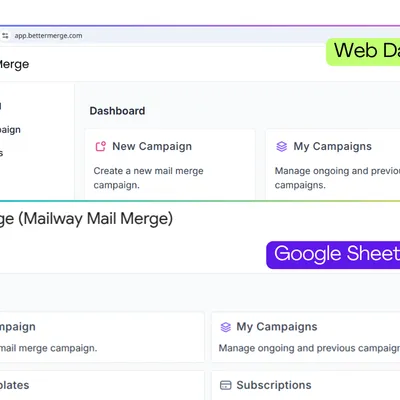
Welcome to BetterMerge
Everything you need to send personalized email campaigns from Gmail & Google Sheets.
Getting started
Section titled “Getting started”IntroductionLearn what BetterMerge is and how it can help you to send personalized emails with Gmail and Sheets.
Install the Google Sheets Add-onLearn how to install the BetterMerge add-on in Google Sheets.
Step-by-step Beginner TutorialRead the step-by-step guide to send your very first email campaign with Gmail and Sheets.
Gmail Sending QuotasLearn more about the daily sending limits in Gmail and Google Workspace, and how to stay within them.
Browse by topic
Section titled “Browse by topic”Email TemplatesCreate templates with merge tags, personalized links, images, and attachments.
Contact ListsSet up and manage contact lists in Google Sheets, with segmentation and skip rules.
CampaignsCreate, schedule, pause, and monitor mail merge campaigns.
TrackingTrack opens, clicks, unsubscribes, replies, and bounces.
DeliverabilityA practical guide to reaching the inbox with Gmail and Google Workspace.
AdvancedEmail verification, senders and Gmail aliases, custom tracking domains, and more.
Account & BillingUpgrade your plan, add seats, and give your team access.
New features
Section titled “New features”AI AssistantDraft or rewrite a template, and review it for spam risk before you send.
ContactsSee everyone you have emailed, their activity, and who is unsubscribed or bounced.
Senders & Gmail AliasesSend campaigns from an alias or from another Google account.
Reply & Bounce TrackingSee who replied, catch bounces, and follow up in the same thread.
Popular guides
Section titled “Popular guides”Sending Guidelines & Best PracticesSend in a compliant, deliverability-friendly way.
Email Warm-Up for GmailBuild sender reputation before your first big campaign.
Personalized AttachmentsSend each recipient their own file from Google Drive.
Delivery AutomationPace your sends automatically to protect your account.
New to BetterMerge?Start free — 50 emails/day, no credit card. Questions? Contact support.
BetterMerge is an independent product not affiliated with, endorsed by, or connected to Google LLC. Gmail, Google Sheets, Google Workspace, and Google Workspace Marketplace are trademarks of Google LLC.